
A little imagination. A whole new space.
Your space.
Reimagined.
That “what if” you’ve been thinking about?
See it in your own space.
Capture your room or upload a photo. Tell Reglo what you have in mind, then explore the possibilities with AI.
For Android · Google Play release pending
 A spare room, with a new purpose.AI design visualization
 THE STARTING POINT
THE POSSIBILITIES
Same space.
A different feeling.
You don’t need to have it all figured out.
Try a color. Find a finish. Picture a fresh start.

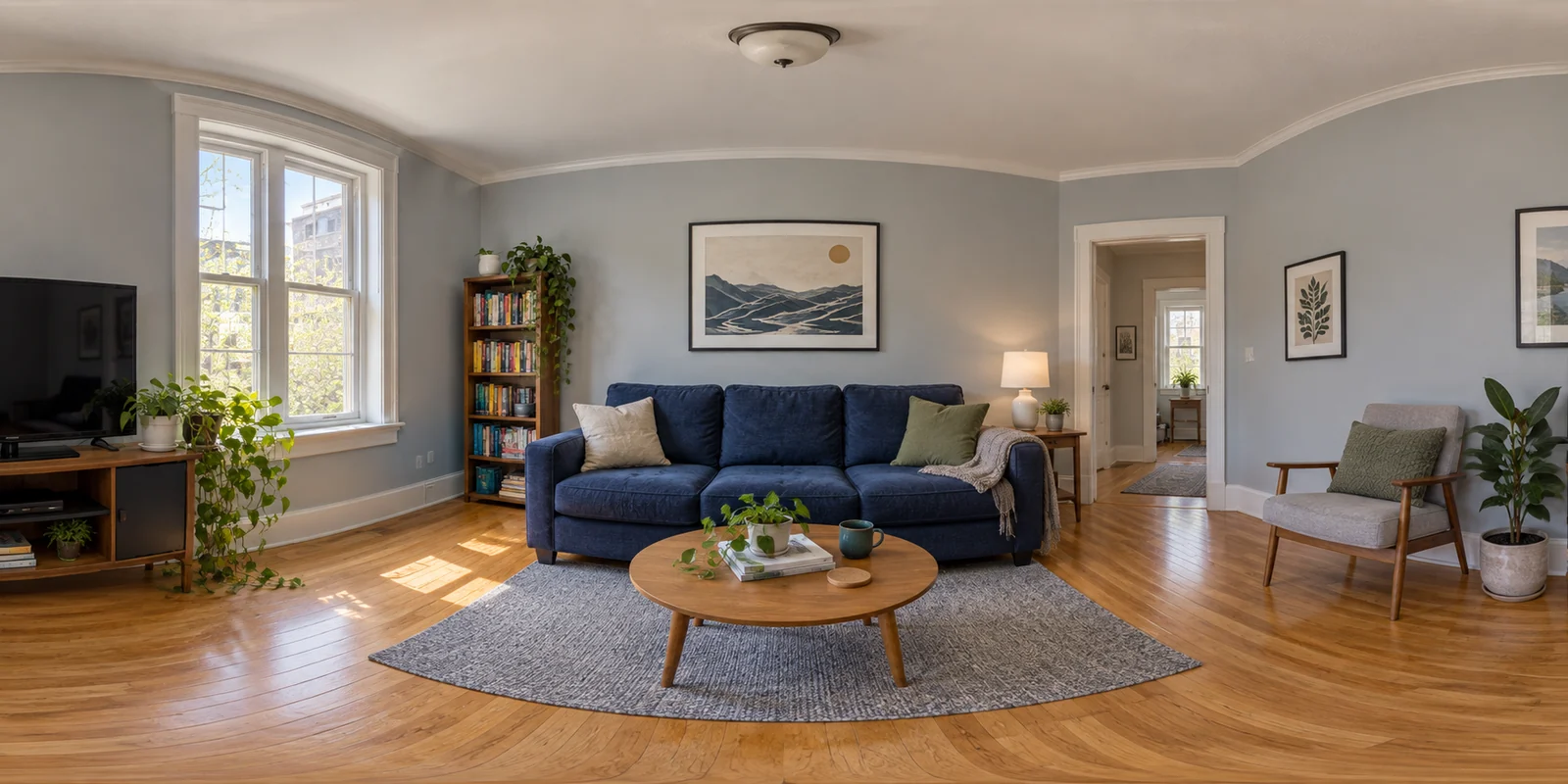
Keep the sofa. Change the feeling.
Explore warmer walls and a bigger rug without replacing the piece you already love.
Results will vary.
THE REGLO FILM · 2 MIN 40 SEC
One app.
So many “what ifs.”
From an idea in the store aisle to a room for a new beginning. Take a look at six ways to imagine more.
AI-generated scenes and fictional creators; native app footage uses demonstration rooms. Sequences are edited for length. Design previews are illustrative.
Read the transcriptFROM “WHAT IF” TO “I CAN SEE IT”
Your ideas.
A little more real.
- 01
Start with your space.
Capture overlapping views for an immersive room experience, or upload a single photo.
- 02
Tell it what you’re picturing.
Describe your change, ask for a design direction, or attach a reference photo of a material you love.
- 03
See what could be.
Compare before and after. For immersive rooms, swipe to look around the design. Save the ideas you want to keep exploring.
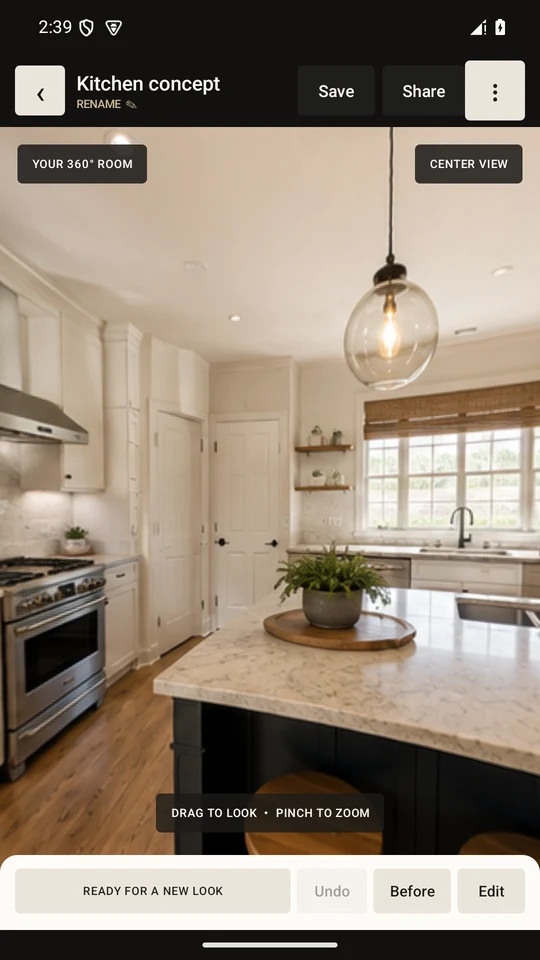
A new way to look
at your own space.
A FEW THINGS TO KNOW
Room for
questions.
Do I need to scan an entire room?
No. You can capture a room for an immersive view or start with a single photo. Choose the approach that fits the idea you want to explore.
Can I try a material I’ve found in a store?
Yes. Attach a reference photo and describe how you want to use it, such as white cabinets with a wood slat backing. AI previews help you explore a look; confirm the actual product, color, dimensions, and suitability before buying.
Is Reglo available on my phone?
Reglo is built for Android. Its Google Play production release is currently awaiting review. The Google Play links on this page point to the official app listing; installation will become available when the release is approved in your region. An iPhone version is not currently available.
Are the designs ready to build?
Reglo creates visual inspiration, not measured plans or construction guidance. AI can change or invent details. Check dimensions, product specifications, and any safety requirements with the appropriate professional before making real changes.
How do credits and saved rooms work?
AI generations use credits. Credit options and prices are shown in the app before purchase. You can save room designs, restore earlier versions, and export images. See the app for the current offering.
FOR YOUR NEXT “WHAT IF”
Picture it.
Make it yours.
Your next idea starts with the space you already have.
Explore on Google PlayAndroid release awaiting Google Play approval. Big ideas start small.